
Latin America. Blackmagic Design today announced the availability of DaVinci Resolve 20.1, a major software update that provides support for the Apple Immersive format on macOS systems.
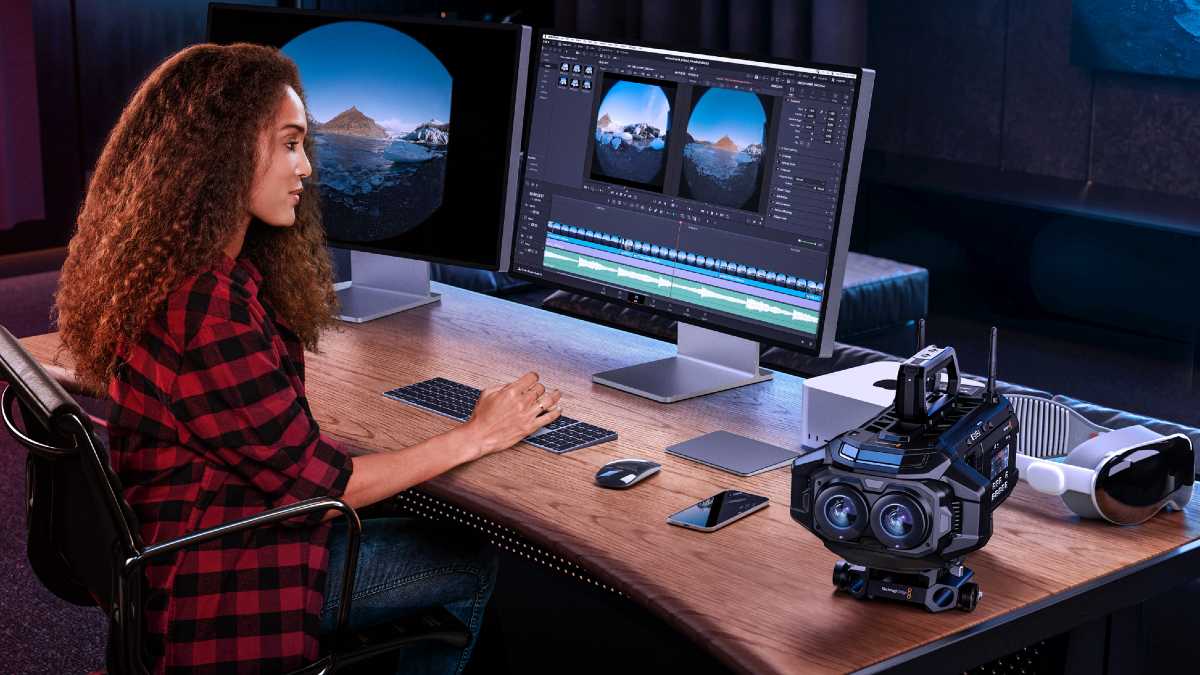
This new version gives filmmakers the opportunity to easily edit and color grade images captured with the Blackmagic URSA Cine Immersive model, as well as create visual effects, mix spatial audio and deliver content in that format.
The innovative immersive viewfinder gives users the ability to rotate images vertically or horizontally and rotate them for viewing on 2D monitors or streaming to Apple Vision Pro devices for an even more immersive experience. This version is now available for free download from the Blackmagic Design website.
The macOS version of DaVinci Resolve Studio is the only option on the market that combines tools for editing, color grading, visual effects, audio mixing, and delivering projects in Apple Immersive Video format. With the ability to decode and play back stereoscopic Blackmagic RAW files recorded in 8K resolution at 90 fps with URSA Cine Immersive cameras, the program enables end-to-end workflows when generating content for Apple Vision Pro devices.
Users have the same tools they usually use in 2D projects, which have been updated to allow them to work with immersive 3D images. These are present in all DaVinci Resolve Studio modules and include a new immersive viewer that provides the ability to view images on any common monitor, as well as an optimized spatial audio editor, and numerous ways to review and export content in Apple Immersive Video format for Apple Vision Pro devices.
The Edit module makes it easy to process images captured with URSA Cine Immersive cameras just like any other type of recorded footage, with a familiar drag-and-drop interface. In turn, the new immersive viewer shows the sequences in their original state, converted to a LatLong coordinate system (latitude and longitude) or in a graphic window that allows the images to be moved on the screen. It's even possible to add a 360° background track that can appear outside of the projected immersive image.
When working with images recorded using URSA Cine Immersive cameras in the Color module, users can use all primary color grading tools, as well as others specific to secondary color corrections. New features such as the Edge Mask function allow you to adjust the field of view recorded by the camera to exclude microphones and other objects from appearing in the shot. In addition, this function offers the possibility of attenuating the transition between the projected space and the background.