
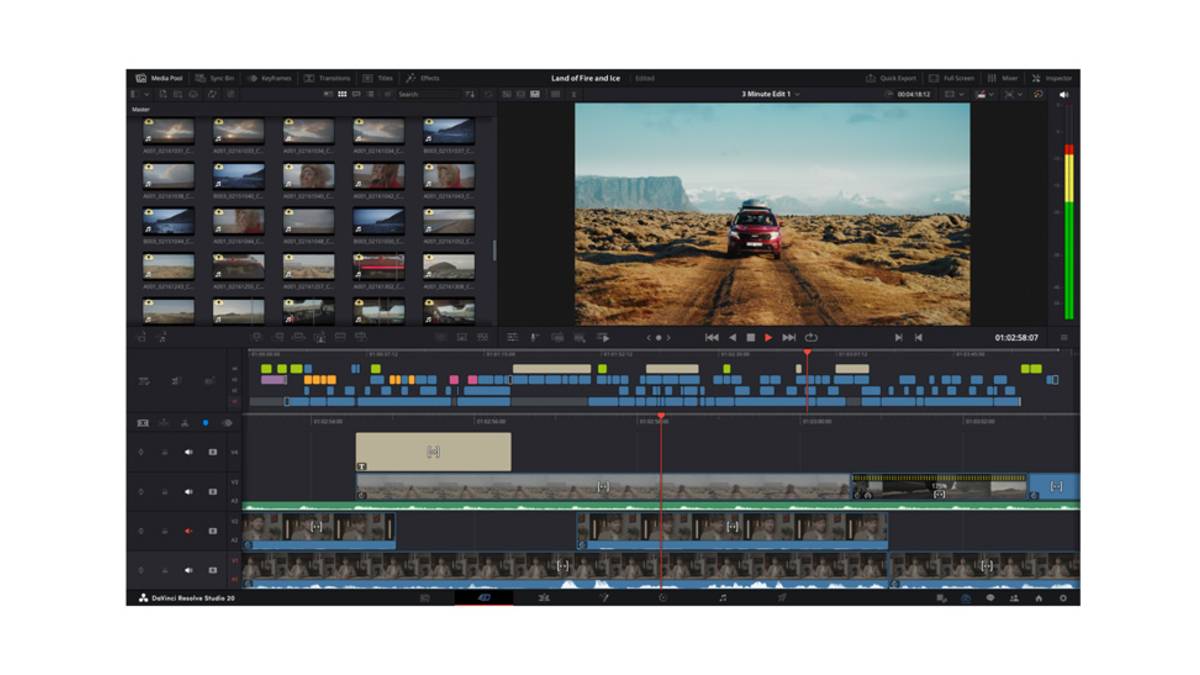
Latin America. Blackmagic Design released public beta 2 of DaVinci Resolve 20 and Fusion Studio 20. This release introduces a number of improvements and bug fixes for the initial public betas.
Among the improvements are:
- In DaVinci Resolve, the ability to view and adjust changes made to speed keyframes. This means that when using the new Keyframe Editor, you can make adjustments and see changes instantly in the viewer, making it faster to create the speed effect.
- Using the source timeline viewer improves synchronization between the viewer and tabbed timelines when dragging and dropping media or applying edits.
- Various fixes when recording voiceovers. Now, when recording voiceovers, it will be recorded on the selected track, regardless of whether the track has track effects applied. Also, if other tracks are set to solo or assembled, you can still monitor voiceovers accurately.
- Improvements to dual-screen layouts on the edit page, especially when working with vertical timelines. This means that you can maintain consistency regardless of the resolution of the timeline, as well as being able to easily minimize and restore a decoupled keyframe editor window.
- For Fusion Studio, this software update adds improvements and bug fixes to improve justification behavior in Text+ and MultiText, better selection in the Cryptomatte layer dialog, as well as improved text box clipping with character level styling and GPU-based deep rendering.
To learn full details of this update and download it, click here.