
Latin America. Blackmagic Design announced Cloud Live Sync, a new tool in the Blackmagic Cloud storage solution that allows a camera to sync files and send them to a folder in DaVinci Resolve while recording.
In a matter of seconds, editors will be able to see the files arrive in real-time and start working on them while the camera continues to record. This represents a significant innovation in broadcaster workflows, where editors can view and edit images seconds after the camera captures them, from anywhere in the world.
The company will demonstrate the Blackmagic Cloud Live Sync feature at booth S5125 at this year's Cine Gear show.
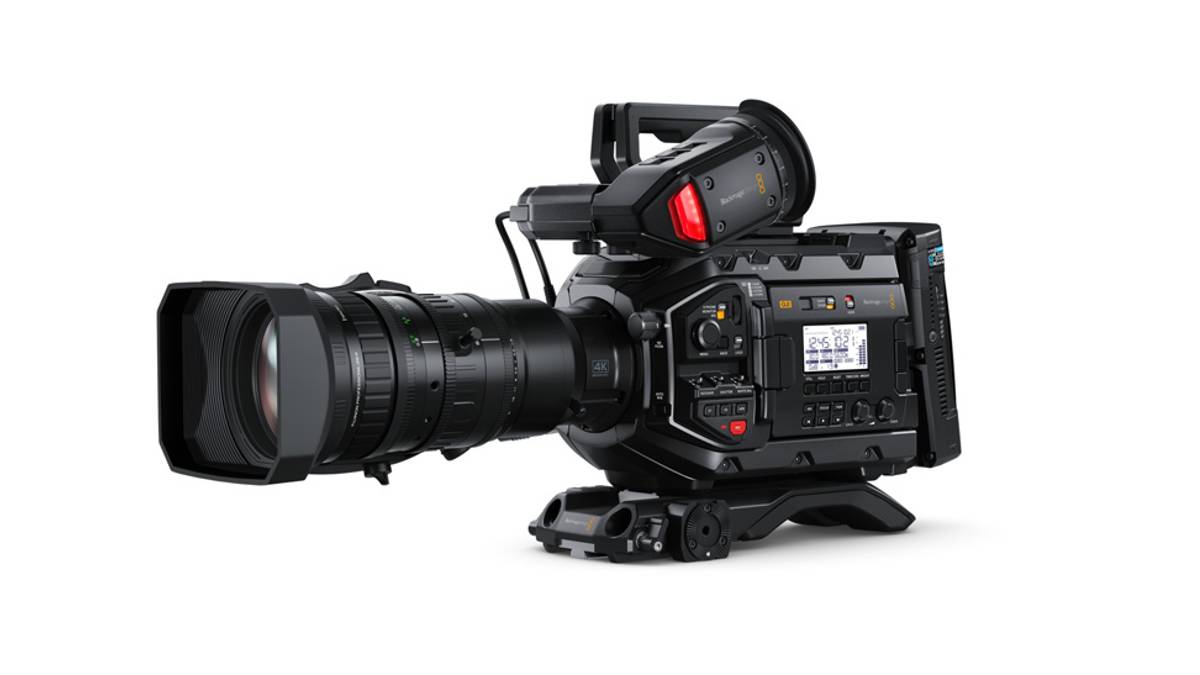
The secret of this tool is the ability of the latest Blackmagic Design cameras, such as the Cinema Camera 6K, PYXIS, URSA Cine and URSA Broadcast G2 models, to record Full HD proxy files in H.264 format. Images are synchronized live to the Blackmagic Cloud during filming, while automatically saving to all DaVinci Resolve workstations that are connected to the same project in the cloud.
On the other hand, from the camera, the user must enter Blackmagic Cloud and select a DaVinci Resolve project before starting recording to start synchronizing on the connected devices. This allows both editors and colorists to start working on the material instantly. In addition, if there are multiple units recording at once, thanks to the new multi-sync tool, all clips will be displayed in a multi-view window, and editors will be able to select the most suitable angle.
In some ways, this is similar to streaming the live footage to an editing program. When you start playback, it will never stop as long as you continue to sync files in the viewfinder, just in front of the playhead. The playback indicator will recede as each clip segment loads, and its duration will continue to increase. Also, the paperclip icon in the tray will display a red recording indicator, implying that the remote camera is still filming.
As a result, when a camera starts shooting a scene, it is possible to start editing and grading from one computer with DaVinci Resolve at the same time, and these settings can then be viewed on set from another computer with the program installed as soon as recording is stopped. This eliminates the need for complex color grading systems on set, as post-production can take care of this aspect using a large DaVinci Resolve panel and monitor color adjustments accurately. DaVinci Resolve can also be used in the production studio to play back graded shots after they have been completed. In this way, both recording and post-production can be carried out simultaneously.
Likewise, in the case of news production, a camera, for example the URSA Broadcast G2 model, will be able to start recording and synchronize the material with the editing system instantly in the event of a historical event. The editor will not have to wait for the recording to stop, as they will be able to start editing the news segment when shooting begins, and the footage will be ready to air in moments.