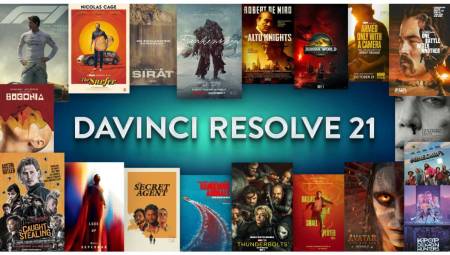

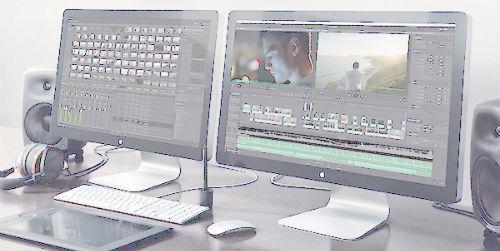
 Latin America. Blackmagic Design announced that the final version of DaVinci Resolve 12.5, the professional editing and color grading program developed by the company, is now available on its website.
This update offers more than 250 new features and endless enhancements including additional editing tools, features optimized for color adjustments, innovative effects, and support for High Dynamic Range (HDR) images.
DaVinci Resolve 12.5 is designed to give colorists and professional editors unprecedented creative options so they can perform various tasks faster. The Blackmagic Design technical team took into account the feedback provided by hundreds of users to add the most requested features to the program.
This version offers a myriad of new features including seven innovative cropping functions, a menu overlaid on the viewer with options to add or overwrite files, and the ability to cut and propagate edited material or paste and insert clips, among other features. The operation of the timeline has also been improved, and users can now use original or optimized files to speed up the editing process. With the new full-screen option, edited content can be viewed on both laptops and single-monitor systems.
DaVinci Resolve 12.5 also offers a completely new way to search for different parts of a clip using the audio wave. The original media viewer includes revolutionary controls that allow you to view images alongside the sound wave simultaneously. This makes it easier to find a particular section, distinguishing intervals without sound, increases in volume or other visual cues.
The program also has a new function to organize multimedia files and metadata, in order to simplify the task of assistants and editors in projects that include a large number of files. By using the keyword dictionary, you can select frequently used or previously created terms and quickly apply them to any clip.
Innovative controls to create dynamic effects have also been included in this version of the program. The user now has individual curves for the position of a frame and the playback speed. In this way, it is possible to move a frame to any point in time and simultaneously make variable speed changes in a given sequence of images. These features offer the opportunity to create exceptional effects.
On the other hand, the curve editor within the timeline has been improved, with the aim of providing the user with more options to select, move and edit several frames simultaneously. It also provides controls for adding or marking keyframes, as well as a menu for selecting specific curves or parameters to edit later. Dynamic zoom allows editors to determine speed and direction when zooming in or out of a portion of the image. In addition, new transitions are included and the possibility to edit them at the same time or save them as default settings.
For colorists, DaVinci Resolve 12.5 presents significant improvements in the node editor that provide the possibility to alternate, group, extract and move from one to another quickly, as well as copy their content or use the alpha channel integrated in the masks, among other functions. By dragging an image with certain chromatic settings from the gallery, it is now possible to apply these parameters to a composite node alone or to the entire expanded nodal structure.
For its part, the ResolveFX function of DaVinci Resolve 12.5 allows you to process dynamic effects using the graphics processing unit. This tool includes both innovative and more traditional complements, for example blurs, glare and Gaussian effects, among others. Other more advanced options, such as grains, flares, and optical blurs, are only available in DaVinci Resolve 12.5 Studio.
The new Fusion Connect feature provides the ability to export clips to this program to create more complex special effects. Fusion provides a nodal structure for three-dimensional compositions and advanced graphic animations. When you render scenes in Fusion, clips in the Resolve timeline are automatically updated. After processing the shots with effects, they are synchronized in DaVinci Resolve to see the final version.
In addition, the delivery module has a completely renewed design, so it is easier to find and customize rendering settings and organize tasks. The iconed browser allows you to view and select the final settings to export the project to other applications, such as Premiere Pro, ProTools, Media Composer, Final Cut Pro, Vimeo and YouTube. It is also possible to include audio independently in files with one or more channels, as well as integrate the alpha channel into exported clips by using the ProRes 444, ProRes 444 XQ or RGBA options without compression.
In addition, this update offers a spatial noise reduction function that implements an algorithm powered by multiple graphics processing units, in order to reduce noise and preserve image quality. The combination of this feature with the temporary noise reduction tool offers extraordinary possibilities. On the other hand, options are included to correct visual distortions and better quality in the deinterlacing process.
Version 12 of DaVinci Resolve has already been used to process high dynamic range images captured by cameras that have the necessary latitude to record such content, such as the URSA Mini 4.6K model of Blackmagic Design. Now DaVinci Resolve 12.5 Studio includes better features to carry out chromatic adjustments of this type.
"The beta version of DaVinci Resolve 12.5 is the most successful yet. No other has been downloaded so many times," said Grant Petty, CEO of Blackmagic Design. "We have taken into account user feedback and strive to add features that really make a difference, both for professionals who use the program on a daily basis and for those who are just starting to use it. For this reason, this version is unique. A large number of publishers prefer DaVinci Resolve, as it combines professional editing and color grading tools in an innovative way to provide unprecedented possibilities."